
What a VPS actually buys you
People ask, “What’s a VPS server?” and they usually expect a tidy product answer. It isn’t tidy. A VPS server is closer to being handed the keys to a half-furnished place with a breaker box, plumbing access, and a list of things that can go wrong if you ignore them.
That’s the part most ads gloss over. VPS hosting isn’t just space on a machine. It’s a trade: you get control, isolation, and flexibility, but you also take on responsibility. Updates. Security. Backups. Configuration. When people say they want a virtual private server, what they often mean is, “I want the freedom to set my own rules without dealing with the chaos of full bare metal.”
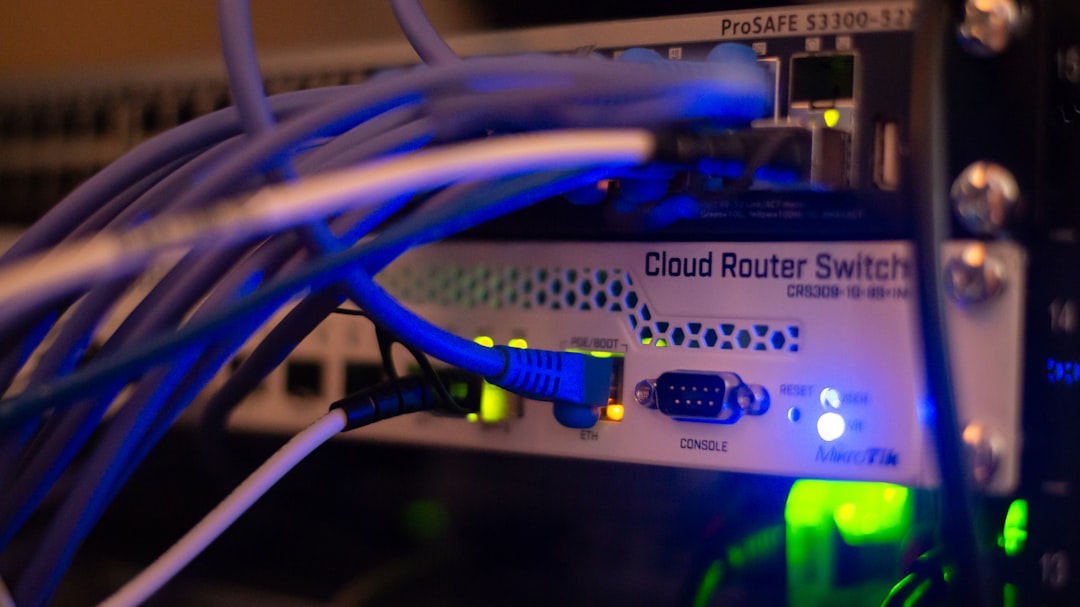
The real value of server control isn’t “I can click around in a dashboard.” It’s that you can shape the environment around your actual workload instead of accepting a one-size-fits-all setup. A small agency site, a game server, an app backend, a staging box, a private API gateway — these don’t need the same treatment. Shared hosting pretends they do. A VPS server admits they don’t.
And here’s the less flattering truth: the server setup you were never taught to see matters more than the login screen. If you want the deeper version of this idea, The Hidden VPS Login Trap Isn’t Your Password — It’s the Server Setup You Were Never Taught to See gets into the part most beginners miss.
The tradeoff nobody frames honestly
People like to talk about VPS hosting as an upgrade. That’s too simple. The better way to think about it is as an operating model.
When you move from shared hosting to a virtual private server, you’re not only getting more control. You’re also expanding your failure surface area. That sounds technical, but it’s simple: more things are now your problem. If an app breaks because of a bad package update, that’s on you. If a firewall blocks your own service, that’s on you. If nobody set up backups and the disk dies, that’s definitely on you.
That’s the price of server control. Not money alone. Attention. Discipline. The right habits.
This is why VPS server users split into two camps fast:
- People who need the flexibility and accept the responsibility.
- People who wanted “more power” but really wanted someone else to manage the mess.
If you’re in camp two, managed hosting may be the smarter move. If you’re in camp one, a VPS server can be a sweet spot: enough isolation to matter, enough access to customize, not so much overhead that you’re maintaining an entire physical server stack.

Where a VPS server makes sense
Not every project needs a virtual private server. But when it fits, it fits hard.
A VPS hosting setup makes sense when you need:
- predictable performance for one or more apps
- root-level or administrator-level access
- custom software that shared hosting won’t allow
- isolated environments for testing or deployment
- better control over ports, services, and resource allocation
That list is the boring version. The real reason people stay with VPS hosting is simpler: it gives them room to stop fighting the platform.
Shared hosting often turns into a negotiation with limits. A VPS server gives you the space to decide. That decision-making freedom is the product. The machine is just the shell.
One practical example: a small SaaS team can run their app, database, background jobs, and staging environment across separate VPS instances. They don’t need an enterprise cluster. They need clean boundaries and control. That’s where a virtual private server earns its keep.
The setup mistakes that cause most pain
This is where people get burned. Not by the concept. By the setup.
A fresh VPS server looks harmless. Blank slate, clean login, minimal services. Then reality shows up.
Common mistakes:
- Leaving default SSH access open to the world.
- Skipping firewall rules because “I’ll lock it down later.”
- Running everything as root because it’s convenient.
- Forgetting automated backups until after an outage.
- Installing packages without tracking dependencies or versions.
- Ignoring updates because the server seems stable.
That last one is the classic trap. “Stable” often just means “nobody has touched the broken part yet.”
A decent virtual private server setup should be treated like a living system, not a static purchase. If you can’t explain what would happen after a failed reboot, you don’t really have server control — you have a fragile coincidence.

A practical VPS checklist that keeps you out of trouble
If you’re setting up VPS hosting for the first time, don’t improvise. Do it in a boring, disciplined order.
-
Log in and change access basics
- Use SSH keys where possible.
- Disable password login if your workflow allows it.
- Create a non-root admin user.
-
Set up firewall rules
- Open only the ports you actually need.
- Block everything else by default.
- Double-check web, SSH, and app ports.
-
Patch the system
- Update the OS immediately.
- Update all installed packages.
- Reboot if the kernel or critical services require it.
-
Install only what you need
- Fewer services mean fewer surprises.
- Every new service adds another failure point.
-
Configure backups
- Automate them.
- Test restores.
- Store copies off the VPS server itself.
-
Add monitoring
- CPU, memory, disk, and uptime.
- Set alerts before users notice the problem.
-
Document the setup
- Write down ports, services, login methods, and restore steps.
- Future-you will absolutely forget one of these.
A lot of beginners think the hardest part is choosing the host. It’s not. The hard part is building a setup that still makes sense three months later when you’re tired, busy, and trying to remember why Nginx stopped serving one route.
VPS hosting versus the alternatives
If you’re deciding whether a virtual private server is worth it, the comparison matters more than the marketing.
| Option | Control | Maintenance load | Cost | Best for | Main downside |
|---|---|---|---|---|---|
| Shared hosting | Low | Low | Low | Simple sites, blogs, basic pages | Limited control, noisy neighbors |
| VPS hosting | Medium to high | Medium | Moderate | Apps, custom stacks, growing projects | You own the setup and failures |
| Managed cloud app platform | Medium | Low | Moderate to high | Teams that want speed over control | Less flexibility, platform rules |
| Dedicated server | Very high | High | High | Heavy workloads, strict customization | More overhead than most people need |
The table tells the story better than any sales page. A VPS server sits in the middle because it balances optionality and burden. That’s why it’s popular. It’s also why it’s misunderstood.
People want to hear “more control.” They don’t always want to hear “more responsibility.” But that second part is where the actual value lives.
The real reason experienced users keep choosing VPS
Here’s the part that gets missed in most writeups: a VPS server is not mainly about horsepower. It’s about decision freedom under constraint.
That sounds abstract, so let me make it plain. A good virtual private server lets you:
- test without asking permission
- move quickly without rebuilding everything
- isolate one project from another
- keep long-term ownership of your environment
- leave room for future changes
That flexibility becomes a quiet advantage over time. You don’t notice it on day one. You notice it when your project grows, or when a dependency breaks, or when you need to replicate the same stack somewhere else.
This is why VPS hosting keeps showing up in real operations. Not because it’s glamorous. Because it’s legible. You know where the machine starts, where your config begins, and who to blame when things go sideways.
And honestly, that clarity is worth a lot.
If you want a broader read on the mindset behind that hidden control layer, The VPS Server Is Not a Product — It’s the Control Mask You Didn’t Know You Were Wearing is the right companion piece.
Should you use one?
Use a VPS server if you want control, can handle basic administration, and need more than shared hosting gives you.
Don’t use one if you want everything managed for you and have no interest in maintaining updates, security, or backups.
That’s the cleanest answer I can give. No drama. No hype.
A virtual private server is not magic, and it’s not a trophy. It’s a tool that rewards people who understand the cost of control. If you can live with that trade, VPS hosting gives you a solid middle ground: enough power to build something real, enough structure to keep it from turning into chaos.
And that, more than the specs, is what people are actually buying.