The right server starts with the right questions.
A little project. A growing application. A service you want to host yourself. Start with what you need to run, then choose the infrastructure that makes sense.
TopServerVPS brings together practical selection guidance, source-backed provider profiles and clear comparisons. Find a shortlist you can explain, not a score you have to take on trust.
What are you building?
Choose the job before the server. These routes change the questions worth asking and the limits worth reading.
Self-host something useful
Run a personal service, small community or private tool. Favour a manageable stack, a sensible location and a recovery plan over spare specifications.
Launch a website or app
Keep the audience and database close, understand traffic charges and choose a resource model that matches normal demand.
Build, test and experiment
Look for easy provisioning, a clear resource lifecycle and billing you understand when the machine is idle.
Need a physical server?
Start with the reason for isolation or sustained capacity. Compare bare-metal terms, recovery access and administration effort.
Different strengths. Different shortlists.
There is no single winner for every workload. Use these starting points to decide what deserves a closer look, then read the limitations and check the current offer.
Hetzner
Hetzner CloudDevelopers who want a small Linux cloud server and are comfortable looking after the operating system themselves.
Check before you choose. Region pricing, paid IPv4 and backup charges change the total. A powered-off server is still billed while it exists.
Official sources checked 2026-10-14
DigitalOcean
DropletsBuilders who value Linux VMs, documented deployment paths and the option to combine compute with other platform services.
Check before you choose. A Droplet is infrastructure you administer. Backup scope, additional services and the chosen billing family need separate attention.
Official sources checked 2026-10-14
Vultr
Cloud ComputeDevelopers comparing deployment locations and general-purpose shared-CPU options for a workload with variable demand.
Check before you choose. An available location does not guarantee every plan there. Shared CPU still needs workload-specific performance validation.
Official sources checked 2026-10-14
Akamai Cloud
Linode computeDevelopers who want to compare shared CPU, dedicated CPU and high-memory choices within the same cloud platform.
Check before you choose. Region type, compute generation and family availability matter. A dedicated-vCPU VM is not the same as a bare-metal server.
Official sources checked 2026-10-14
OVHcloud
VPS & dedicated serversOperators comparing conventional VPS plans with dedicated-server options and explicit infrastructure terms.
Check before you choose. Backup scope, location exceptions, licence fees and transfer rules vary. Infrastructure features do not replace application management.
Official sources checked 2026-10-14
Amazon Lightsail
Lightsail instancesBuilders who want a scoped VPS-style product within AWS and can work within its bundle and networking rules.
Check before you choose. IPv4 and IPv6-only bundles differ; extra resources and transfer can add charges. Burstable compute needs workload checks.
Official sources checked 2026-10-14
Compare the things that change your decision.
CPU allocation, administration responsibility, region availability and billing conditions can change a decision even when two plan labels look similar.
Compare the published offering, not an invented performance score. Exact plan prices and stock belong to the provider, and the same brand can sell very different products.
Workload first
A small website, a database and a build worker do not need the same kind of server. Identify the bottleneck before the brand.
The complete bill
Include IP addresses, backups, licences, traffic and renewal terms. Compare matching billing periods and regions.
Location with context
Published availability helps narrow the search. Test the actual path from users and dependent services before promising low latency.
An operating plan
Know who patches, monitors and restores the application. A dashboard and an infrastructure support channel are not a managed application.
A small bill is a complete bill.
The displayed server price is the beginning of a budget. Check IP charges, backups, software licences and transfer or renewal conditions before calling an option affordable.
For an occasional project, also find out what happens while a resource is powered off. Stopping a machine and ending its charges are not always the same action.
IP addresses
Check IPv4, IPv6-only compatibility and unused address charges.
Recovery
Understand backup scope, attached storage and any separate retention costs.
Licences
Include operating systems and control panels where they apply.
Traffic & terms
Read regional transfer allowances, overages and renewal conditions.
Useful advice shows its working.
This launch collection is based on official provider documentation and editorial analysis. It is not a first-hand benchmark or a guarantee of application performance.
Each provider profile links to its sources and shows when they were checked. We explain why an option may fit and where you should look more closely.
Read before you rent.
Understand shared CPU, hidden costs, backups and your first deployment with guidance built around an actual decision.

How to choose your first VPS without buying the wrong thing
Start with the application, the operating responsibility and a complete budget before comparing a row of server specifications.
Read guide
The cheap VPS checklist: what belongs in the complete bill?
A low advertised server price can leave out the costs that actually determine your budget. Here is what to check.
Read guide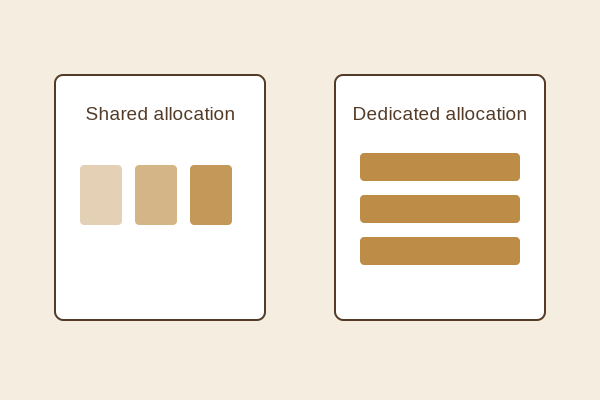
Shared vs dedicated vCPU: what the label does and does not tell you
Understand CPU allocation, sustained workloads and the limits of comparing virtual core counts.
Read guide
Your first hour on a new VPS: access, updates and a recovery route
Set up an operating baseline before exposing an application, and protect yourself from locking out the only administrator.
Read guide